
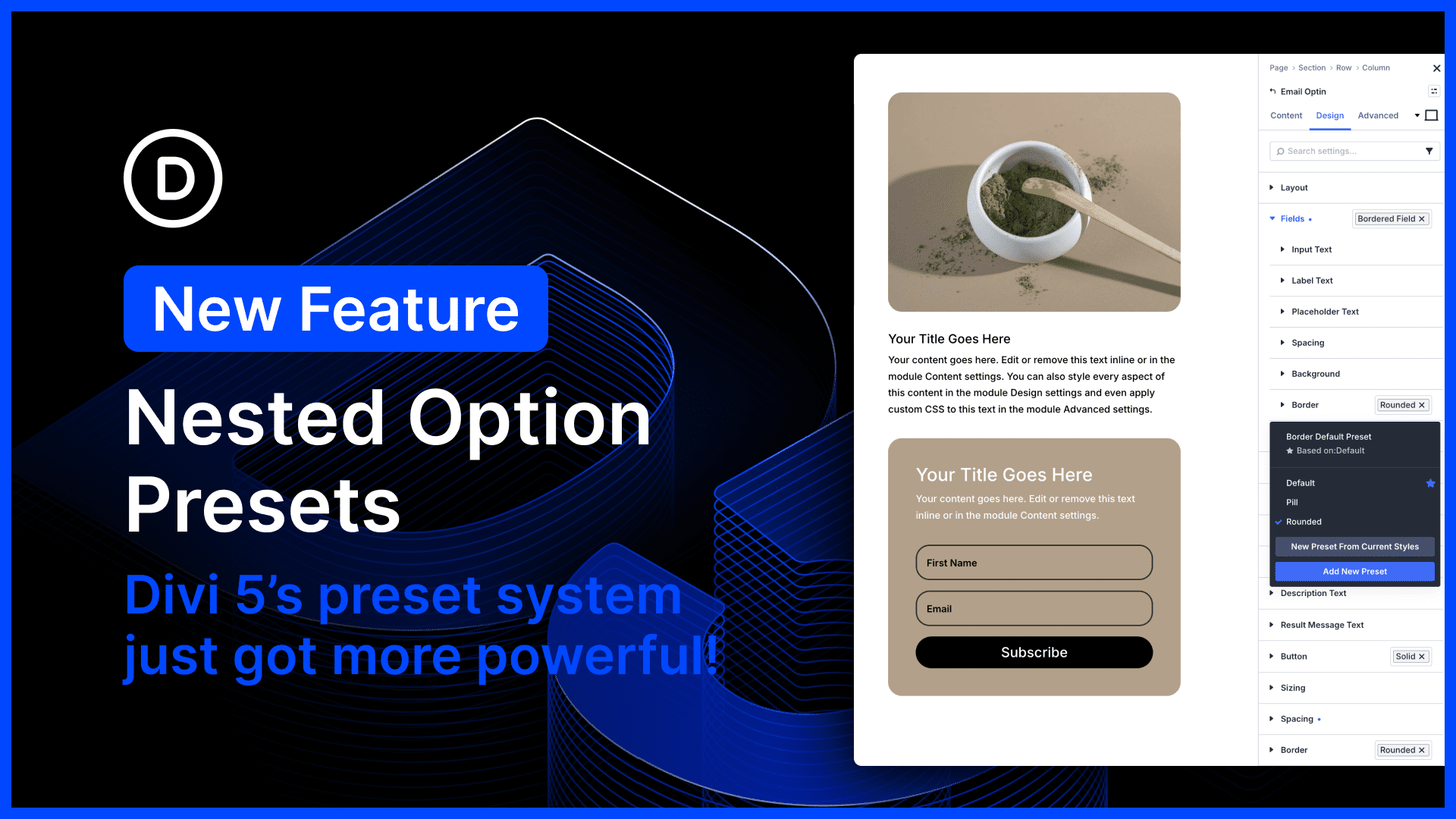
Divi 5’s preset system is the most powerful class-based design system of any WordPress page builder. In fact, Divi 5 presets encapsulate far more than just CSS; they are stackable, nestable global components.
Additionally, Divi offers the unique concept of option presets that allow you to create shared styles for subcomponents and option types, and to nest them within broader element presets. It’s almost like using a CSS preprocessor and importing mixins; it just makes your website design system so much easier to manage.
Not only can presets be nested, but you can also stack them. You can stack, nest, mix, and match modular presets to quickly style components, similar to common CSS frameworks like Tailwind.
It’s simply the best!
Today’s update makes Divi’s option presets even more versatile, allowing you to apply presets to nested options and nest option presets inside other option presets. 🤯 Sub-options that previously didn’t support presets, such as Call To Action > Button > Border, no longer have that limitation.
You can also create multi-level nested presets. For example, you might create a “Dark Blurb” and “Light Blurb” preset. Inside each of those presets, you could nest your Solid Button preset. Inside that button preset, you could nest your Pill Border preset. If you ever want to change the border style of your site-wide pill shape, you only have to modify that one preset, and all your other presets are updated automatically.
There’s much to explore, so let me jump into the builder and give you the full tour. 👇


0 Comments